OSINT Investigation Platform

Collect. Connect.
Report. OSINTEAGLE SOAR — Investigation Platform

The structured OSINT documentation platform. Capture entities, visualize connections in a graph, track timelines and export verified reports — locally installed, fully encrypted.
OSINTEAGLE SOAR
OSINTEAGLE SOAR Screenshot
Screenshot here — set src= in img tag
3
OSINT Phases
7
Languages
5
Export Formats
100%
Local & Encrypted

The OSINT Cycle.

SOAR supports all critical phases of an investigation — structured, repeatable, documented.

Phase 01
Collect

Capture all discovered information in parallel with your research. Direct form input, visual graph editor, browser extension or CSV/JSON import. Every entity in one place.

Phase 02
Analyze

View your time- or location-bound information on an interactive timeline or map. Visualize entity connections in an automatic relationship graph. Patterns emerge.

Phase 03
Report

Create a comprehensive report from all collected entities. Write your investigation summary and export as PDF, WORD, CSV or JSON. Share securely with your team.

Capabilities

Powerful Features.

Everything you need to conduct thorough investigations and document critical intelligence.

Entity Capture

Document persons, organizations, usernames, locations, IP addresses, websites, documents and more. Every entity type has its own structured fields.

Data
Relationship Graph

Automatic visual graph for every investigation. Entities and their connections at a glance. Identify patterns and derive next steps efficiently.

Visualization
Interactive Timeline

Add dates and time ranges to any entity. Chronological visualization of all content in an intuitive interactive timeline. Build movement profiles.

Analysis
Flexible Export

Export your investigation as a PDF report, WORD document, CSV or JSON. Include your summary, all entities and evidence in one clean document.

Export
Secure & Encrypted

Modern security standards for data protection. Locally installed — your investigation data never leaves your system. Full control over your intelligence.

Security
7 Languages

Available in seven languages for international teams and cross-border investigations. Intuitive UI, clear structure — even for complex cases.

i18n
TARGET Person Domain IP Addr. Location Account Org Phone

See Every
Connection.

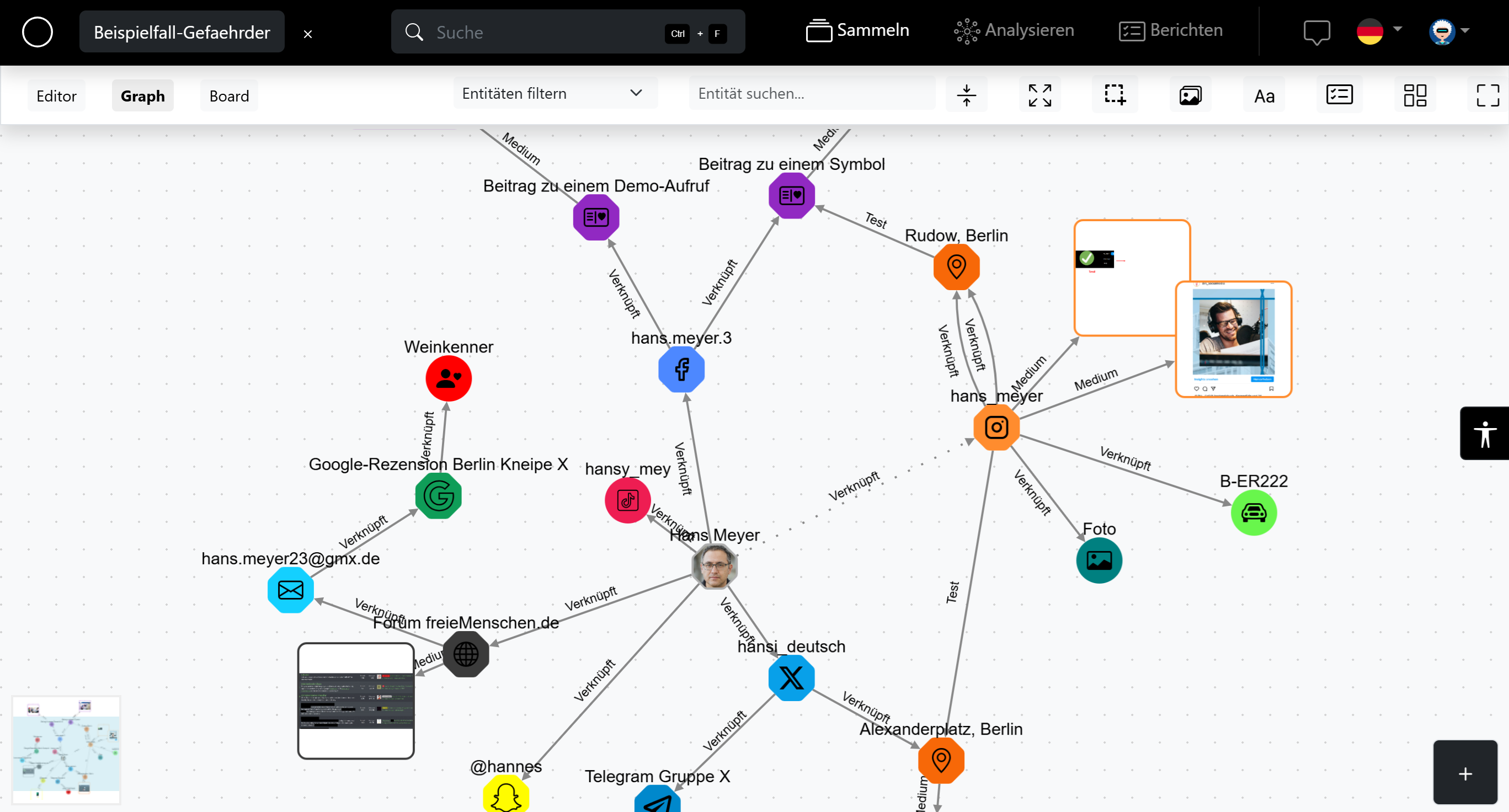
Every investigation automatically generates a visual graph of entities and their relationships. Identify patterns instantly.

  • 01Automatic — Graph builds as you add entities
  • 02Interactive — Drag, zoom, filter by entity type
  • 03Export — Include graph view in PDF report
  • 04Persons, IPs, Domains, Locations and more
Timeline — Investigation #042
2026-01-14
Account created on Platform X — username @shadow_usr
2026-01-22
First post geotagged — Berlin, DE
2026-02-08
Photo metadata: GPS 52.5200 N, 13.4050 E ←
2026-02-15
Domain registered — WHOIS match found
2026-03-01
IP connection from VPN exit node DE-Frankfurt
2026-01
2026-03

Every Event.
In Order.

Assign dates and time ranges to any entity. Build a chronological picture of your subject's activities.

  • 01Chronological — All entities sorted by date automatically
  • 02Interactive — Scroll, filter, zoom into time ranges
  • 03Movement profile — Combine timeline with geo map
  • 04Included in report — Timeline exports with PDF/WORD
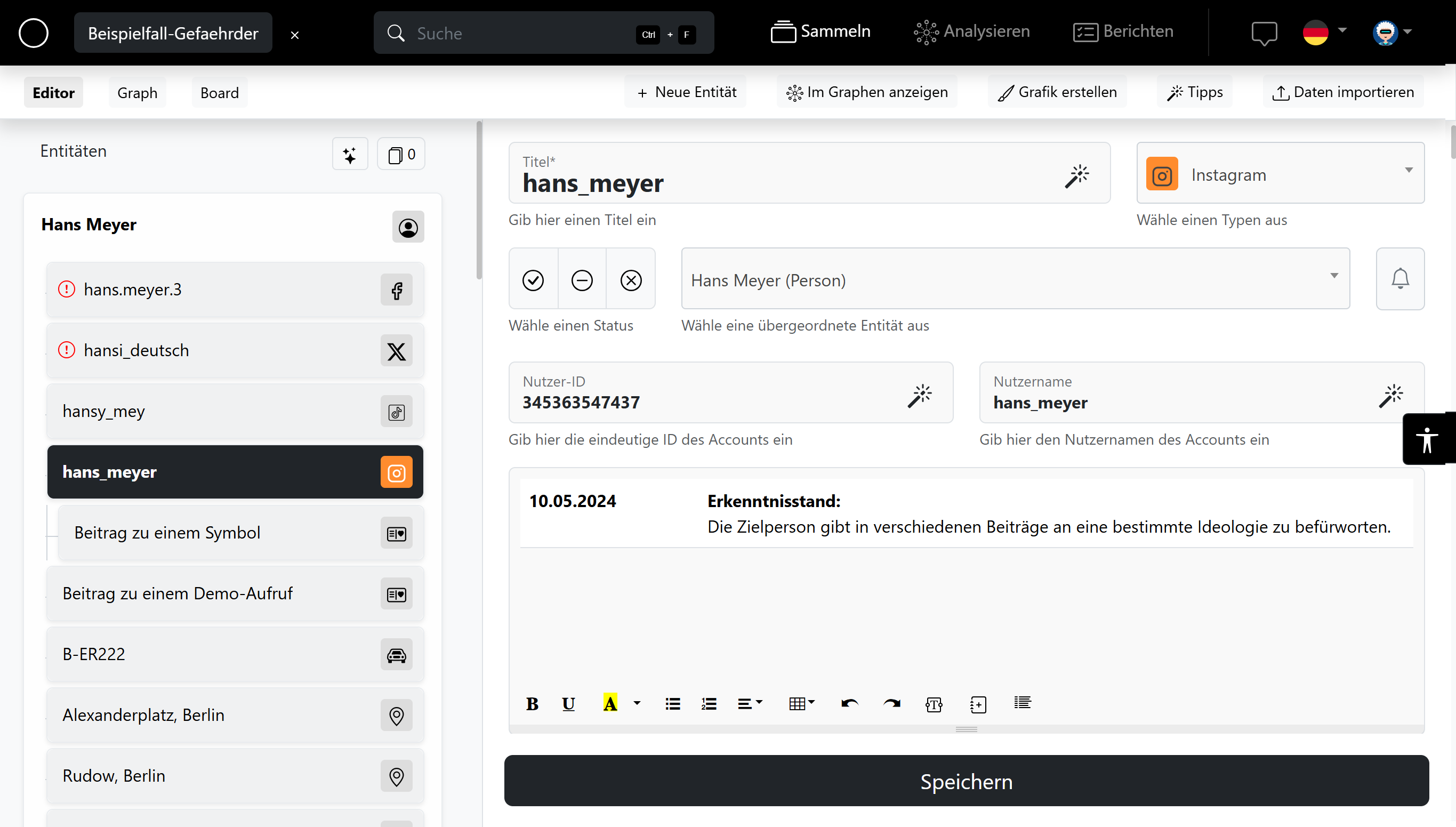
Entities — 12 captured
John D. — Subject Person
shadow-domain.net Domain
Berlin, Prenzlauer Berg Location
193.42.10.xx — VPN Exit IP Addr.
@shadow_usr — Platform X Account
+ Add Entity
CSV Import
Browser Ext.

Document
Everything.

Capture every piece of intelligence in a structured format. Persons, IPs, domains, accounts, locations, documents and more.

  • 01Structured forms — Type-specific fields per entity
  • 02Browser extension — Capture directly from your browser
  • 03CSV / JSON import — Bulk import from external tools
  • 04Workflows — Automated processing pipelines per entity type
In Action

See SOAR.
In the Field.

Real views from inside the platform.

Graph View — Relationship Visualization
OSINTEAGLE SOAR — Graph View
SOAR Graph View
Graph View Screenshot
set src="img/graph.png"
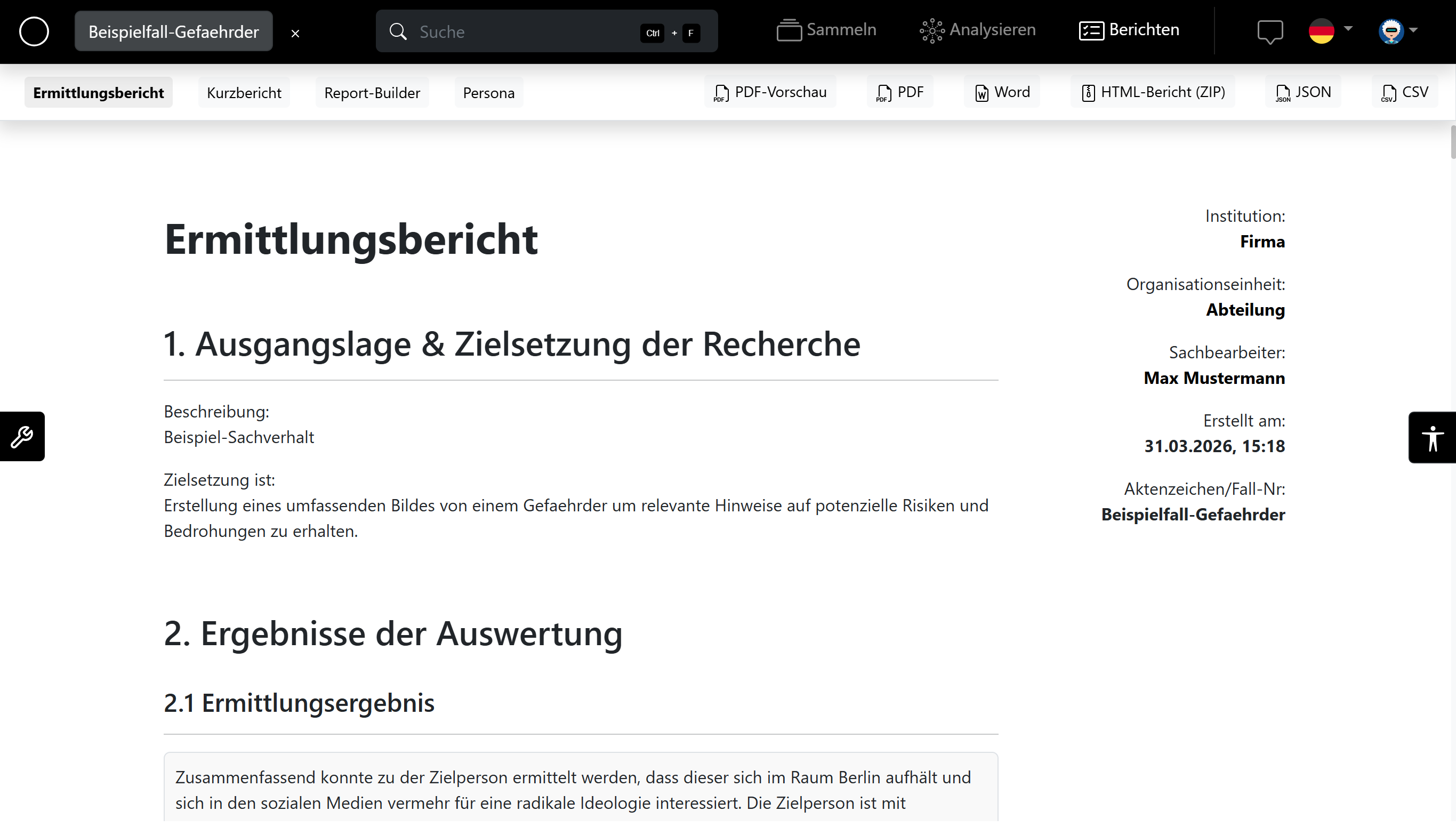
PDF / Word Report Export
Report Export
SOAR Report Export
Report Screenshot
set src="img/report.png"

Export your full investigation as a structured PDF or Word document — with summary, all entities and evidence.

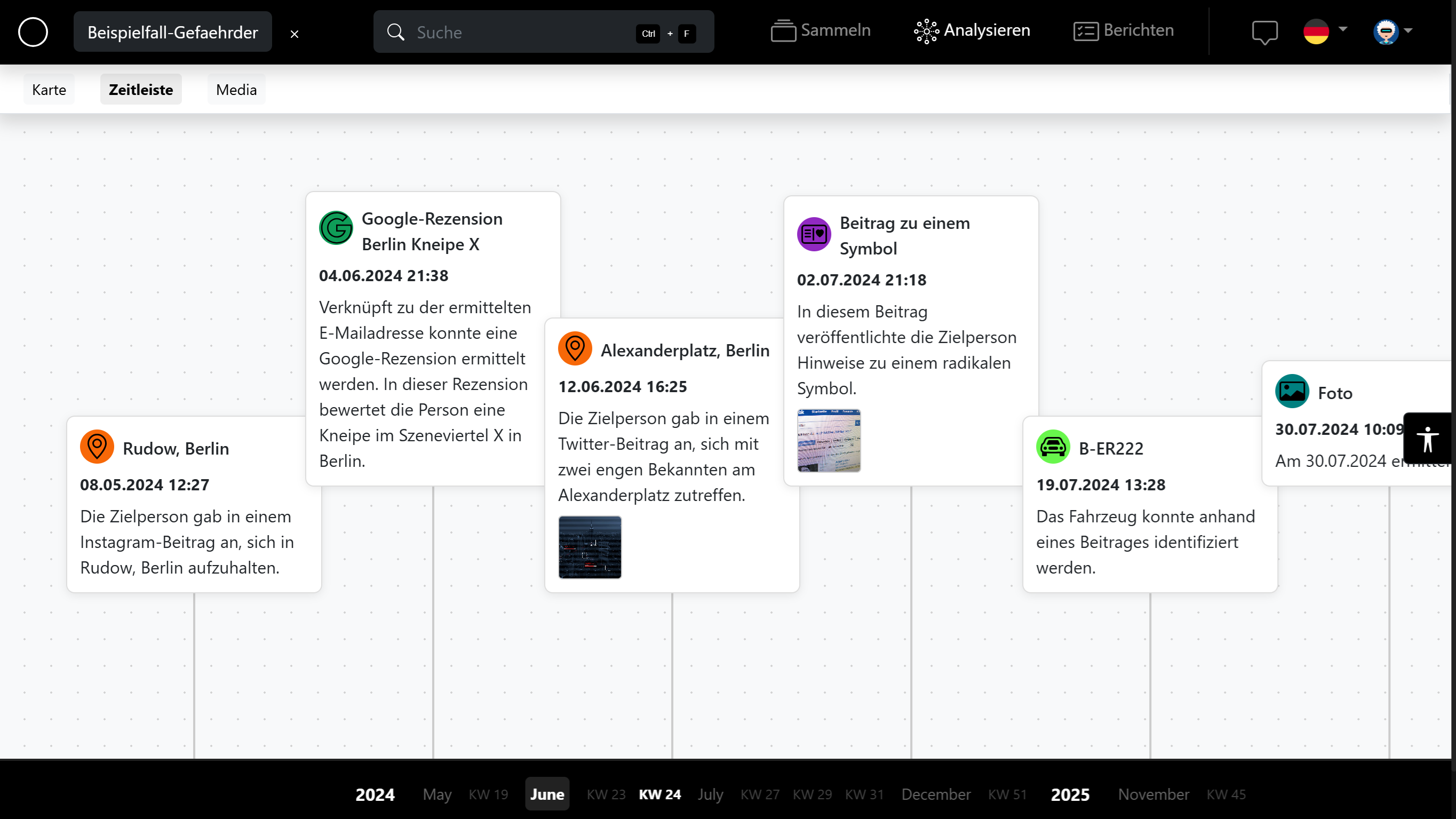
Timeline View
Timeline
SOAR Timeline View
Timeline Screenshot
set src="img/timeline.png"

Chronological timeline and interactive map for geo-tagged entities — spot patterns instantly.

Ready to Start
Investigating?

Join investigators, journalists and security professionals who trust OSINTEAGLE SOAR for structured intelligence documentation.

Request Demo Get License →
Local installation Fully encrypted Windows & Linux Annual license per user